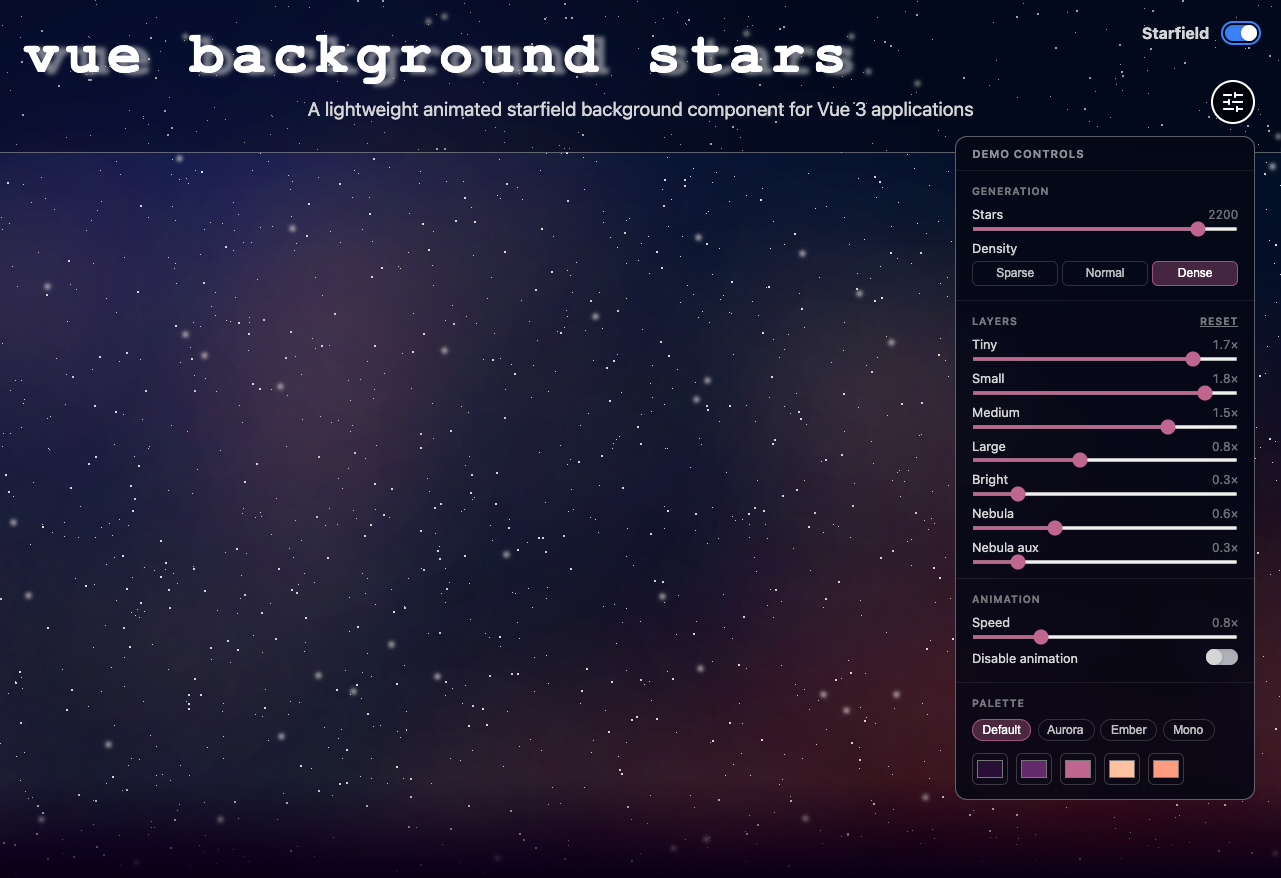
Flip on space mode in the corner of this site and the background fills with a slow-drifting starfield. That effect is a Vue 3 component I pulled out into its own open-source package, @russellio/vue-background-stars - currently at v1.4.0. This site is a live demo.
Why I built it
I wanted a night-sky background I could drop into a Vue app without bringing in a canvas renderer or animation library for something that’s ultimately just decoration.
Most of the starfield snippets out there are one-off CodePens tied pretty closely to a specific layout. This package was actually inspired by one of those examples, but I wanted something I could reuse as a proper Vue component. Typed props, reduced-motion support, animation controls, and control over which layers are rendered. Something I could reuse and that other people could just pnpm install (or npm install) and use anywhere.
How it works
There’s no canvas. The entire sky is built from a handful of DOM elements, seven by default. Each one is a single invisible 1px element, and the stars themselves are created with its box-shadow. Each shadow contains hundreds of comma-separated x/y positions spread across a shared 2000px coordinate space. Tiny, small, medium, large, and bright stars each have their own shadow list. There are also two layers for the colored nebula glow.
That means seven DOM elements can create thousands of stars, with the browser handling the actual rendering instead of JavaScript constantly creating or updating individual stars.
Everything is generated once when the component mounts inside requestAnimationFrame. That also gives the component a good place to fire a background-ready event if you need to know when it’s finished. The blinking animation respects prefers-reduced-motion, and you can also disable it completely with the disableAnimation prop.
There are no runtime dependencies beyond Vue.
The nebula band also got a pretty noticeable improvement in v1.3.1. I increased the glow’s blur radius from 18px to 150px so the colored layers blend together into a soft, diffuse band instead of looking like a bunch of separate blobs (it looked like bad acne!). This release also added layerWeights, which lets you control each layer independently, including setting one to zero. For example:
:layer-weights="{ nebula: 0, nebulaAux: 0 }"
That gives you a simpler, colorless starfield, and the nebula elements aren’t even added to the DOM.
Using it
npm install @russellio/vue-background-stars

<script setup lang="ts">
import { BackgroundStars } from '@russellio/vue-background-stars';
</script>

<template>
  <BackgroundStars />
</template>
Styles now ride along automatically when you import the package, so there’s no separate CSS import to worry about. If you’re loading the UMD build directly with a <script> tag and no bundler, @russellio/vue-background-stars/style.css is still available as an explicit import.
The background is fixed at z-index: -1, which keeps your page content above it as long as the content establishes its own stacking context.
You can control the star count, density, colors, animation speed, and per-layer weights through props. There’s also an optional ToggleSwitch component. That’s the "space mode" switch used here, with the setting saved to localStorage.